
Translations:HITGuard Release November 2025/2/en
Aus HITGuard User Guide
Weitere Optionen
Configuring AI support in the Global settings
AI integration is configured for the first time under Administration > Global Settings. You can choose between the providers OpenAI and Azure OpenAI and then enter the model you use and details for authentication. Once this is done, you can let artificial intelligence assist you in your work in HITGuard.
AI support is then always available for EExperts and Professionals of the management systems, and you can also configure whether these features should also be available to Practitioner users and/or supplier users (in the course of requested self assessments).
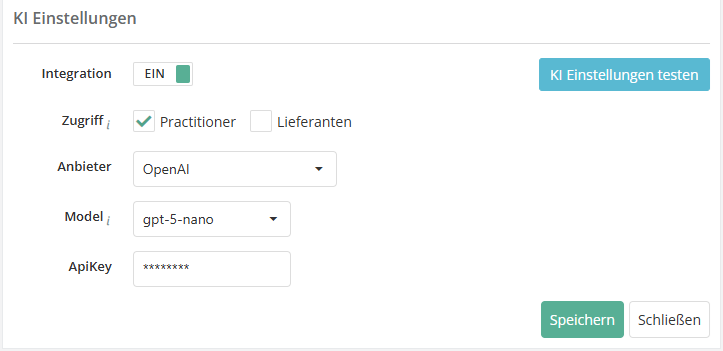
- Example: the screenshot shows the integration settings when selecting OpenAI as the AI provider. Selecting Azure OpenAI leads to different fields.

You can find more information about configuring the AI settings here.