
Translations:HITGuard Release August 2025/5/en: Unterschied zwischen den Versionen
Aus HITGuard User Guide
Weitere Optionen
Isan (Diskussion | Beiträge) Die Seite wurde neu angelegt: „====Workflow information in the protection needs analysis==== Information about any workflow plans to which the protection needs analysis is linked is also available directly in the protection needs analysis itself. This also shows whether it is active or paused there. If the protection needs analysis was created from a workflow plan, this is also displayed. ::left <br clear=all> ::<u>Tip…“ |
Isan (Diskussion | Beiträge) Keine Bearbeitungszusammenfassung |
||
| Zeile 2: | Zeile 2: | ||
Information about any workflow plans to which the protection needs analysis is linked is also available directly in the protection needs analysis itself. This also shows whether it is active or paused there. If the protection needs analysis was created from a workflow plan, this is also displayed. | Information about any workflow plans to which the protection needs analysis is linked is also available directly in the protection needs analysis itself. This also shows whether it is active or paused there. If the protection needs analysis was created from a workflow plan, this is also displayed. | ||
::[[Datei:SBA_Überprüfungsdetails_inkl_Workflow_hervorgehoben.png|left]] <br clear=all> | ::[[Datei:SBA_Überprüfungsdetails_inkl_Workflow_hervorgehoben.png|left]] <br clear=all> | ||
::<u> | ::<u>Tip:</u> You can also display information about whether a workflow is linked and when it will next be triggered in the overview of protection needs analyses by selecting the new column "Linked workflow plans" and „Next reassessment“. | ||
::[[Datei:SBA_Spalten.png|left]] <br clear=all> | ::[[Datei:SBA_Spalten.png|left]] <br clear=all> | ||
You can find more information about workflow plans [[Special:MyLanguage/Schutzbedarf#Workflowpläne|here]]. | You can find more information about workflow plans [[Special:MyLanguage/Schutzbedarf#Workflowpläne|here]]. | ||
Aktuelle Version vom 26. August 2025, 09:52 Uhr
Workflow information in the protection needs analysis
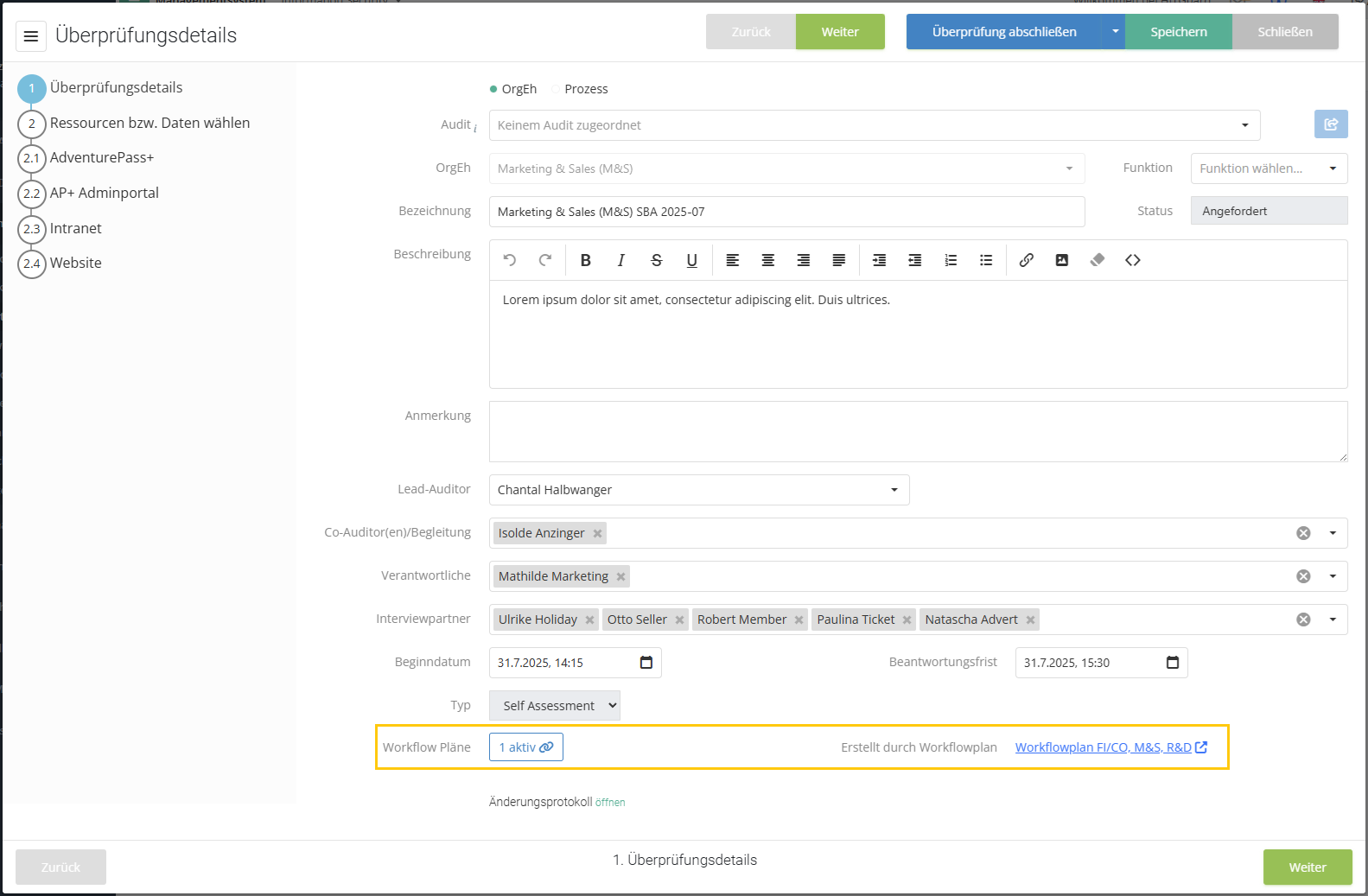
Information about any workflow plans to which the protection needs analysis is linked is also available directly in the protection needs analysis itself. This also shows whether it is active or paused there. If the protection needs analysis was created from a workflow plan, this is also displayed.
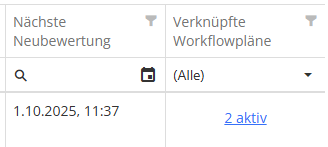
- Tip: You can also display information about whether a workflow is linked and when it will next be triggered in the overview of protection needs analyses by selecting the new column "Linked workflow plans" and „Next reassessment“.


You can find more information about workflow plans here.